
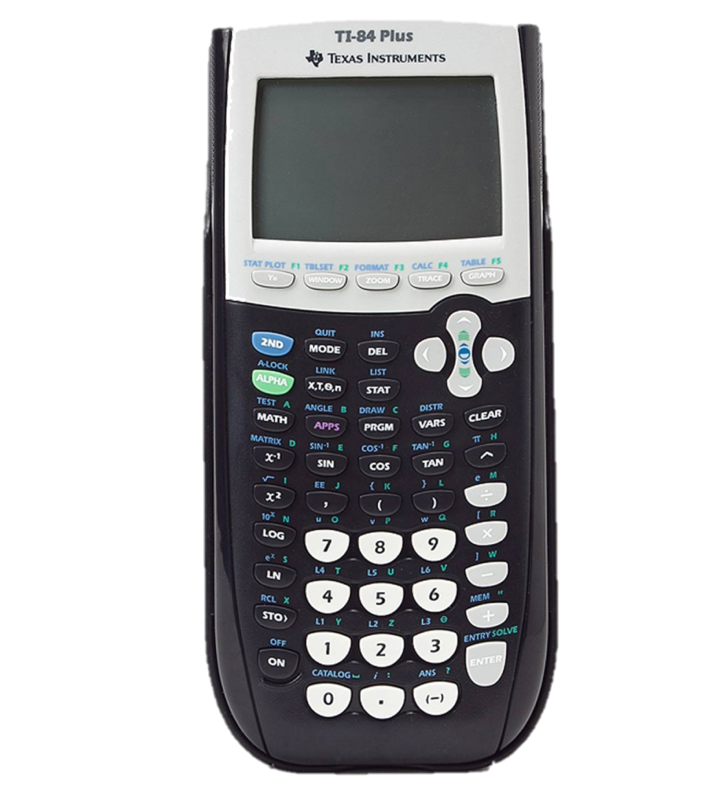
TI-83 Calculator Online
The TI-83 Calculator Online is a powerful virtual graphing calculator designed to help students, teachers, and professionals perform advanced mathematical calculations without needing a physical device. Whether you’re solving equations, plotting graphs, or preparing for exams, this online TI-83 calculator delivers the same functionality as the original Texas Instruments calculator directly in your browser.
If you’re looking for a free virtual TI-83 calculator, fast, accurate, and accessible anytime, this tool is the perfect solution.
What is a TI-83 Calculator Online?
A TI-83 calculator online is a digital emulator of the classic Texas Instruments TI-83 graphing calculator. It replicates the interface, buttons, and functionality of the physical device, allowing users to perform complex math operations such as graphing functions, solving algebraic expressions, and analyzing data.
Unlike hardware calculators, a virtual TI-83 calculator requires no installation, making it ideal for students who need instant access on desktops, laptops, tablets, or mobile devices.
Features of the TI-83 Online Graphing Calculator
The TI-83 online graphing calculator offers a robust set of functions, including:
Graphing Tools
Plot and analyze multiple functions on the same coordinate grid. You can:
Graph y = f(x) functions
Trace points, find intersections
Adjust window settings for better viewing
Math & Algebra
Perform basic and advanced math operations like:
Addition, subtraction, multiplication, division
Exponents, roots, powers, and absolute values
Statistics & Data Handling
Calculate key statistical measures and visualize data:
Mean, median, mode, standard deviation
Regression analysis and scatter plots
Trigonometry
Work with trigonometric functions including:
Sine, cosine, tangent
Inverse trigonometric functions
Steps to Use the TI-83 Graphing Calculator
Using the online TI-83 calculator is simple and user friendly:
Open the TI-83 calculator online in your browser
Enter numbers or functions using the on screen keypad
Select graphing mode to plot equations visually
Adjust window settings for better graph clarity
Analyze results or export calculations if needed
No downloads, no setup just open and start calculating instantly.
Benefits of the Virtual TI-83 Calculator
Choosing a free virtual TI-83 calculator offers multiple advantages:
No physical calculator required
Works instantly on any modern device
Ideal for exams, homework, and practice
Cost effective alternative to hardware models
Environment friendly and always updated
This online TI-83 graphing calculator is especially useful for students who need a dependable tool anytime, anywhere.
Limitations of the TI-83 Plus Calculator
While the TI-83 Plus calculator online is extremely capable, it does have some limitations:
Limited support for modern programming languages
No native Python execution
Advanced CAS features not included
Performance may depend on browser speed
Despite these limits, the TI-83 emulator remains one of the most trusted graphing tools for foundational math and science courses.
TI-83 Plus Graphing Calculator
The TI-83 Plus graphing calculator is one of the most widely used calculators in education. Its online version mirrors the same experience, making it an excellent alternative for students who don’t own the physical device.
TI-83 Plus Graphing Calculator Specifications
Key specifications of the TI-83 Plus calculator include:
High resolution graphing display
Built in math and statistical functions
Function table and graph overlay support
Memory for equations and data sets
TI-83 compatible operating system
These specifications make the Texas Instruments TI-83 online calculator suitable for everyday academic use.
TI-83 Plus Graphing Calculator Applications
The TI-83 is widely used for:
Algebra I & II
Geometry
Trigonometry
Pre-Calculus & Calculus
Statistics & Data Analysis
Its online equivalent makes it convenient for learning and practice anywhere.
Graphing Calculator Accessories
For users of physical devices, common TI-83 accessories include:
Protective calculator cases
USB or link cables
Rechargeable battery packs
User manuals and guides
However, with a TI-83 calculator online, most accessories become unnecessary, saving both time and cost.
TI-83 Plus Calculator Emulation
A TI-83 Plus calculator emulation recreates the original calculator’s environment digitally. This TI-83 emulator is perfect for practice, demonstrations, and learning without hardware restrictions.
If you need a TI-83 calculator online free, emulation provides the closest real calculator experience available on the web.
Frequently Asked Questions
No, the TI-83 calculator does not natively support Python programming. It is designed primarily for mathematical computations and graphing.
The TI-83 calculator online works best for algebra, trigonometry, pre-calculus, calculus, statistics, and basic physics courses.
Yes, the online TI-83 calculator is compatible with desktops, laptops, tablets, and mobile devices, provided you have a modern web browser.
TI calculators generally fall into these categories:
Basic calculators
Scientific calculators
Graphing calculators
CAS (Computer Algebra System) calculators
Financial calculators
TI calculators come in several model families, including:
TI-Nspire series
TI-36 series
TI-89 series
TI BA II Plus series
TI-10 and TI-15 series